How many client hours never get billed?
Lawyers and staff log which client they're working for with one click — short calls and emails too. You see logged and billable hours and the profitability of every client.
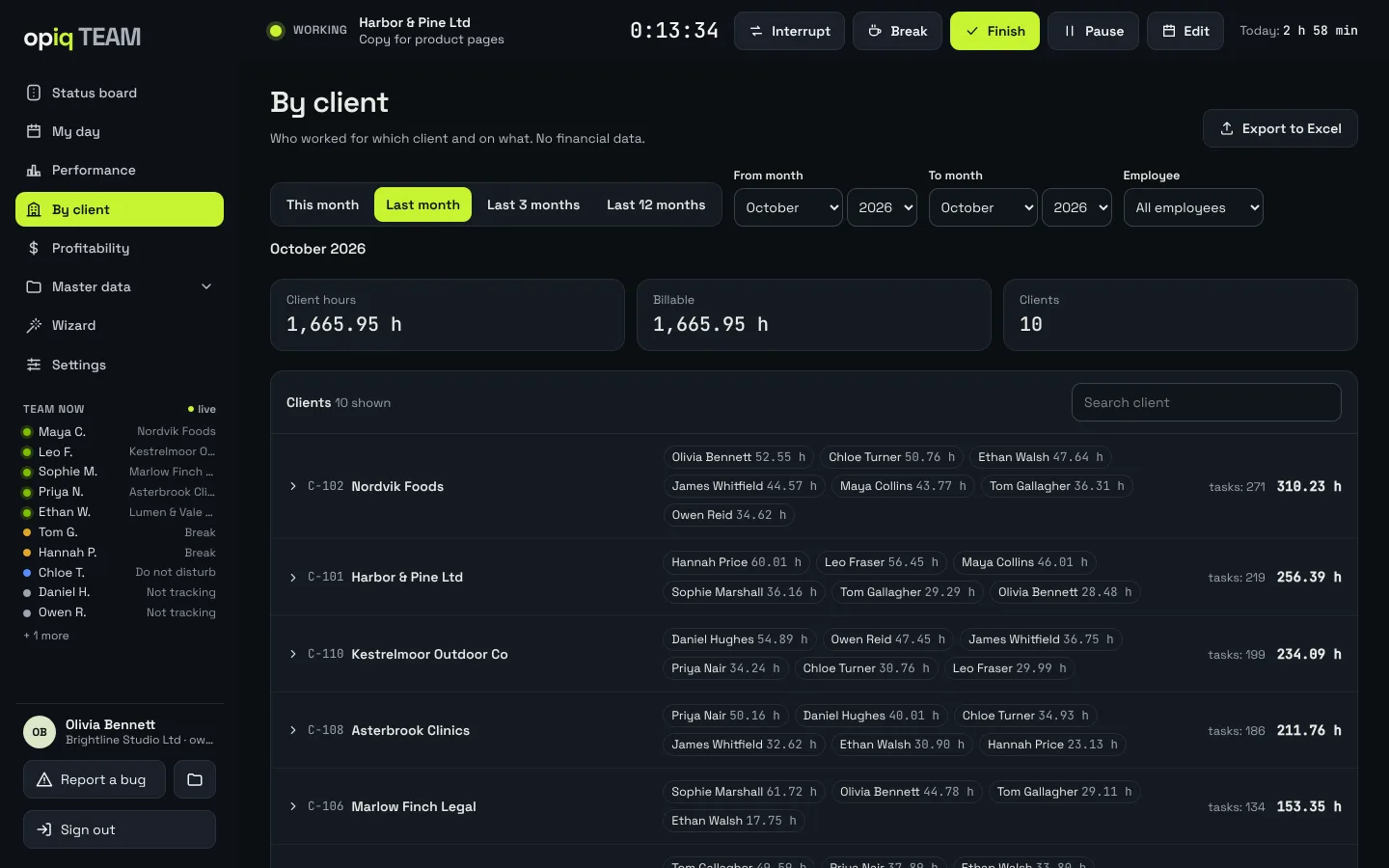
Three problems every law firm knows.
Small tasks get lost
A call, an email, a contract review — five minutes here, ten there. The timer starts with one click, past work is added in seconds, and time adds up to the second.
What goes on the invoice
On every entry you choose: billable, partly billable or not billable. At month end, the "By client" Excel export lists the work done with times and descriptions — the basis for an invoice or a statement of work.
Flat-fee clients under the microscope
For flat-fee clients you see how many hours the fee really covers. For others, revenue is read from imported issued invoices.
- work is logged per client; note the matter in a short description
- agreed hourly rates per client and type of work
- revenue and salaries are visible only to the owner or people with finance access
- runs in the browser and on phones — at court too
Where the hours get lost.
A lawyer with a labor cost of €5,000 per month costs €28.74 per hour (€5,000 ÷ 174 hours). This is how opiq TEAM works out what each client really brings in:
| Client | Revenue | Hours | Labor cost | Margin |
|---|---|---|---|---|
| Client A flat fee | €1,000.00 | 12.0 h | €344.83 | +€655.17 |
| Client B flat fee | €1,000.00 | 38.0 h | €1,091.95 | −€91.95 |
| Client C hourly, €120/h | €1,800.00 | 22.0 h | €632.18 | +€1,167.82 |
Illustration with fictional data. Client B pays the same flat fee as Client A but took more than three times as much time. For Client C, 22 hours were logged but 15 billed — 7 hours (€840 at the agreed rate) stayed off the invoice. Try it with your own numbers in the free client profitability calculator.
From sign-up to first entry in about five minutes.
- 01
Register your firm
Firm name, your name and email. The trial lasts 14 days and needs no credit card.
- 02
Import your clients
The wizard guides you: employees, teams, clients, types of work, hourly rates and issued invoices from Excel. Skip any step you don't need.
- 03
Your team starts logging
Everyone gets an email invitation. After the first week you already see where the time goes.
Plans from €19.90 per month.
Up to 20 employees: €19.90/month billed annually (€238.80 a year) or €25.90 billed monthly. Up to 40: €39.90, up to 60: €59.90 (annual). Every feature in every plan. 14-day free trial, no credit card.
Questions from law firms
Can we track time by matter?
opiq TEAM logs and calculates per client. Note the matter in the short work description, which appears in the Excel export; a separate profitability report per matter is not available at the moment.
What about client confidentiality?
You enter the client name, the time and a short description — not case content. We recommend neutral descriptions (e.g. "contract review"). Data is stored on servers in the European Union; we never share it and access it only at your explicit request when you need help.
Does it calculate statutory fee scales?
No. opiq TEAM works with hours and the rates you agree and enter yourself. It does not calculate official tariff schedules.
Can staff see revenue and salaries?
No. Revenue, costs and profitability are visible only to the owner, admins or people you explicitly grant access.
Is this employee monitoring?
No. opiq TEAM does not record screens, keystrokes or location. Employees log which client they work for themselves.
What happens after 14 days?
The app reminds you a few days before. If you don't subscribe, access closes — your data stays stored and is available as soon as you subscribe.
Is the app available in English?
Yes. The app interface is available in English and Slovenian.
Where can I get help?
In the app, click "Report a problem" in the menu, or email info@opiq.si.
After the first month, you'll know which clients are worth it.
Start your 14-day free trialScreenshots and the example show fictional data.