See which clients make you money — and who on your team earns it.
Your team logs work per client with one click. You see who is working on what in real time, how many hours go to each client, and which clients cost you more than they pay.
You bill for time — but you can't see where the time goes.
Timesheets filled in from memory
At the end of the month nobody remembers what they did on the 3rd. Billable hours slip through the cracks.
Flat-fee clients that quietly lose money
A retainer looks fine until you count the hours behind it. Without the numbers, you keep renewing it.
"What are we actually paying for?"
When a client asks, you need a clear list of who did what and when — not a guess.
Everything you need to see your team's work — nothing you don't.
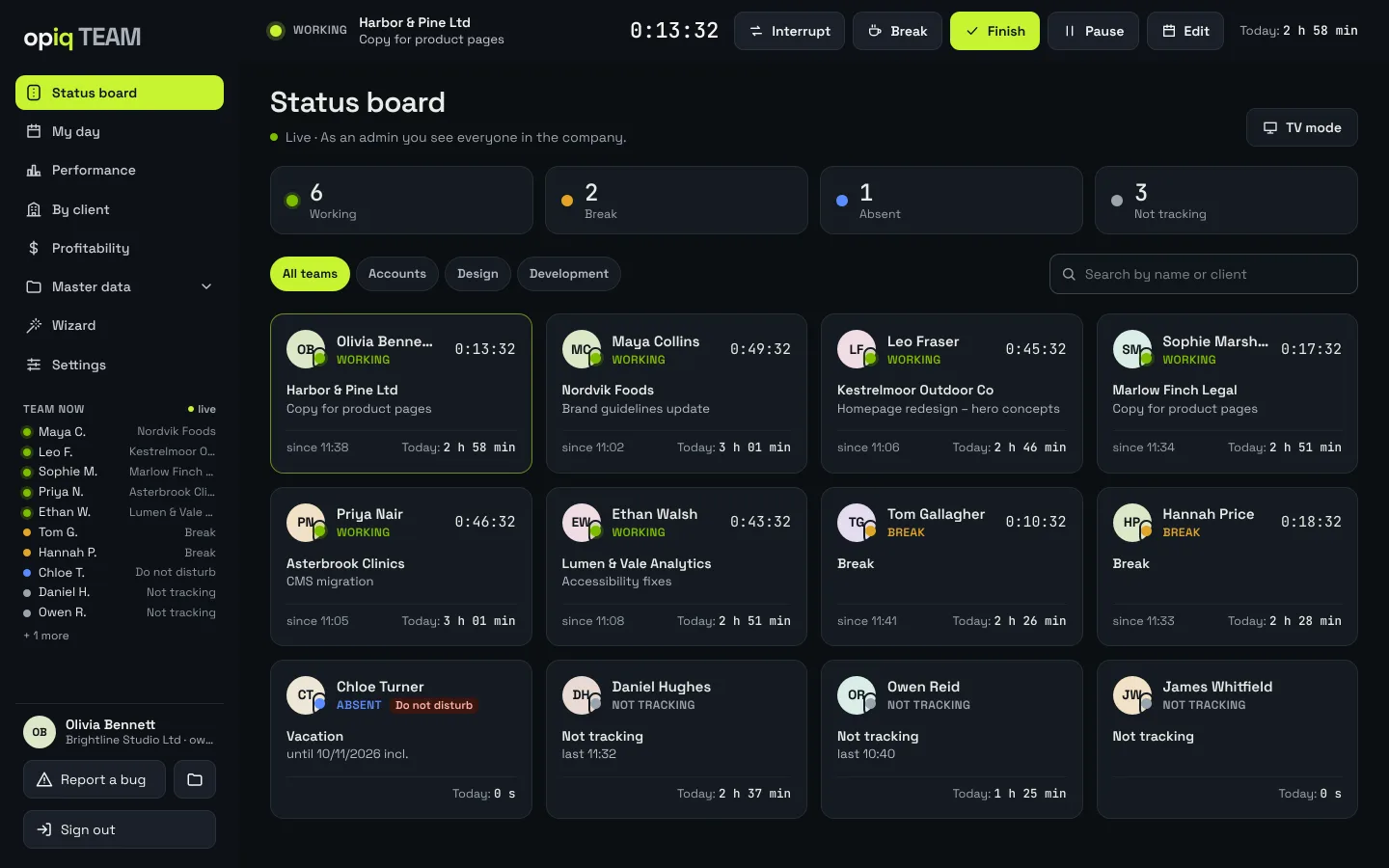
Live team board
Who is working, on a break, absent or not logging — with the client name and elapsed time. Put it on an office screen with TV mode.
One-click timer
Start, pause, stop. Add a description and materials used when you finish. A forgotten timer stops itself at midnight.
Hours per client
Who worked for a client, on what and when — with billable hours shown separately. Export to Excel for invoicing.
Client profitability
Revenue (flat fee or imported invoices) against labor cost by client, team and employee. A warning when a client stays unprofitable for several months.
Client vs. internal time
How much time goes to client work and how much to internal work — by day, week and month.
Absences and imports
Vacation, sick leave, business trips. Import clients, items and price lists from Excel in minutes.
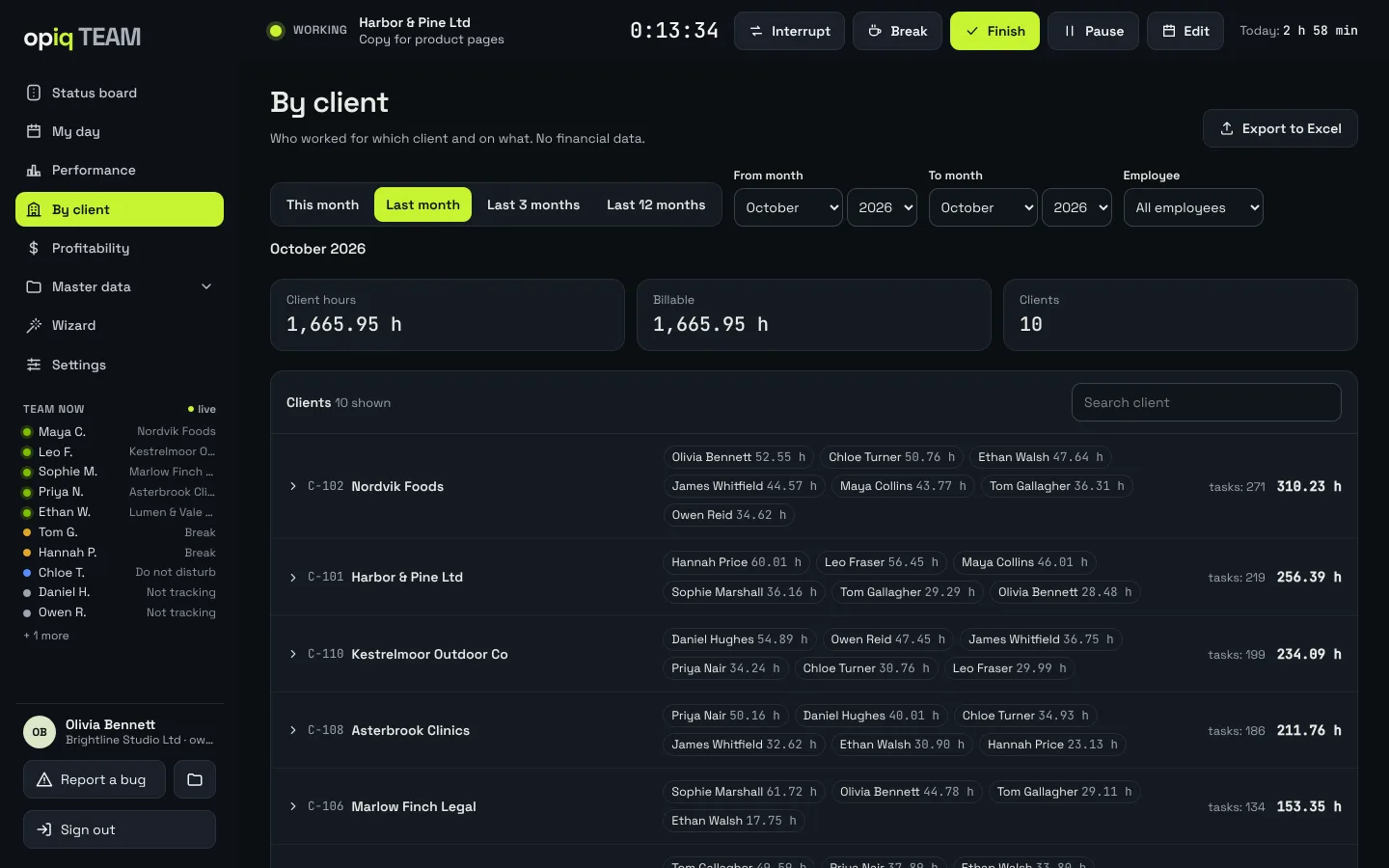
Know exactly what you did for every client.
Every task for a client in one place: who, when (from–to), type of work, description and materials. When a client asks what they're paying for, the answer is ready.
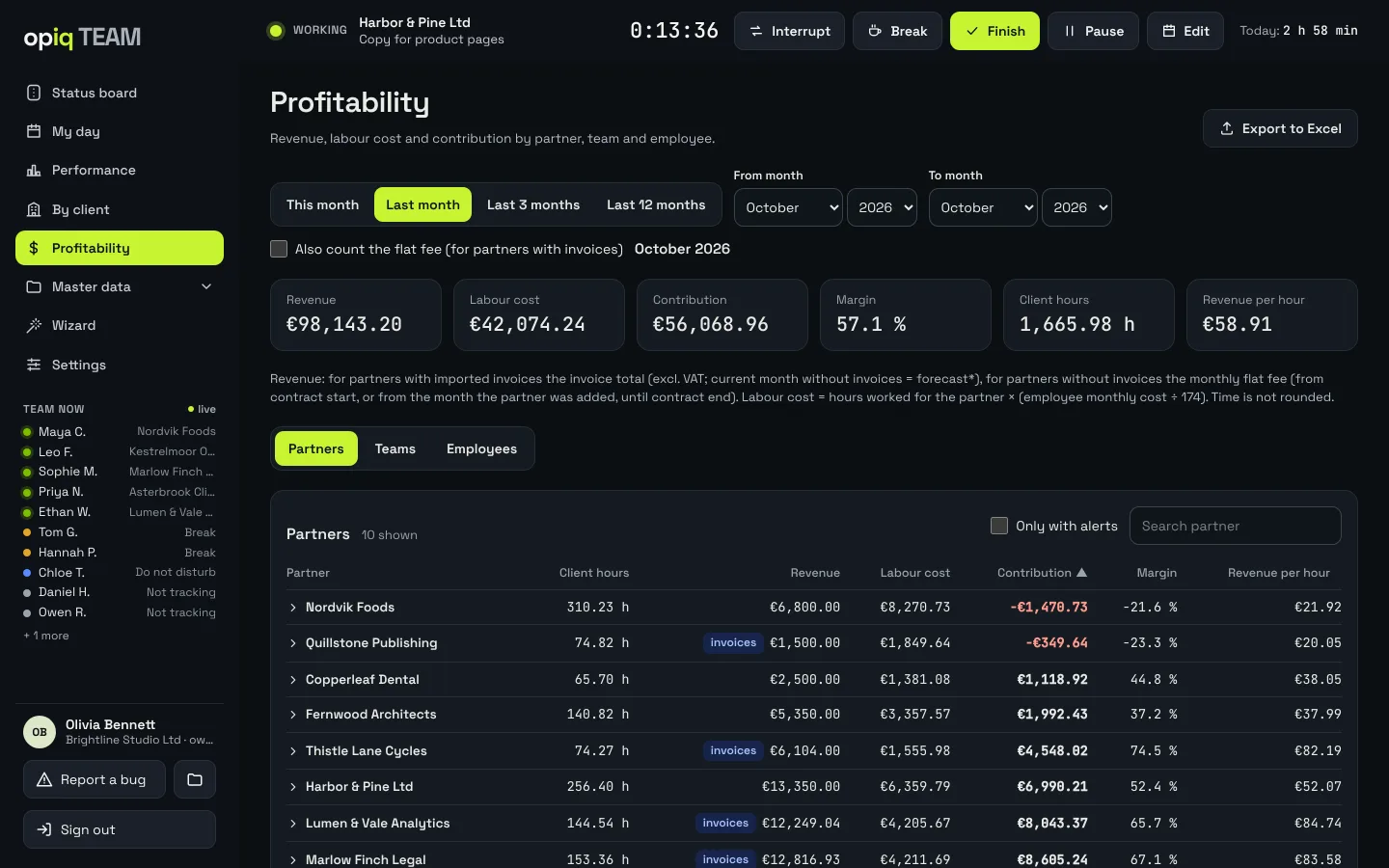
Which clients actually make you money?
Labor cost is calculated from logged hours and each employee's cost; revenue comes from flat fees or imported invoices. You immediately see the clients you work more for than they pay.
- by client, team and employee
- flat-fee history and use of included hours
- finance data visible only to people you allow
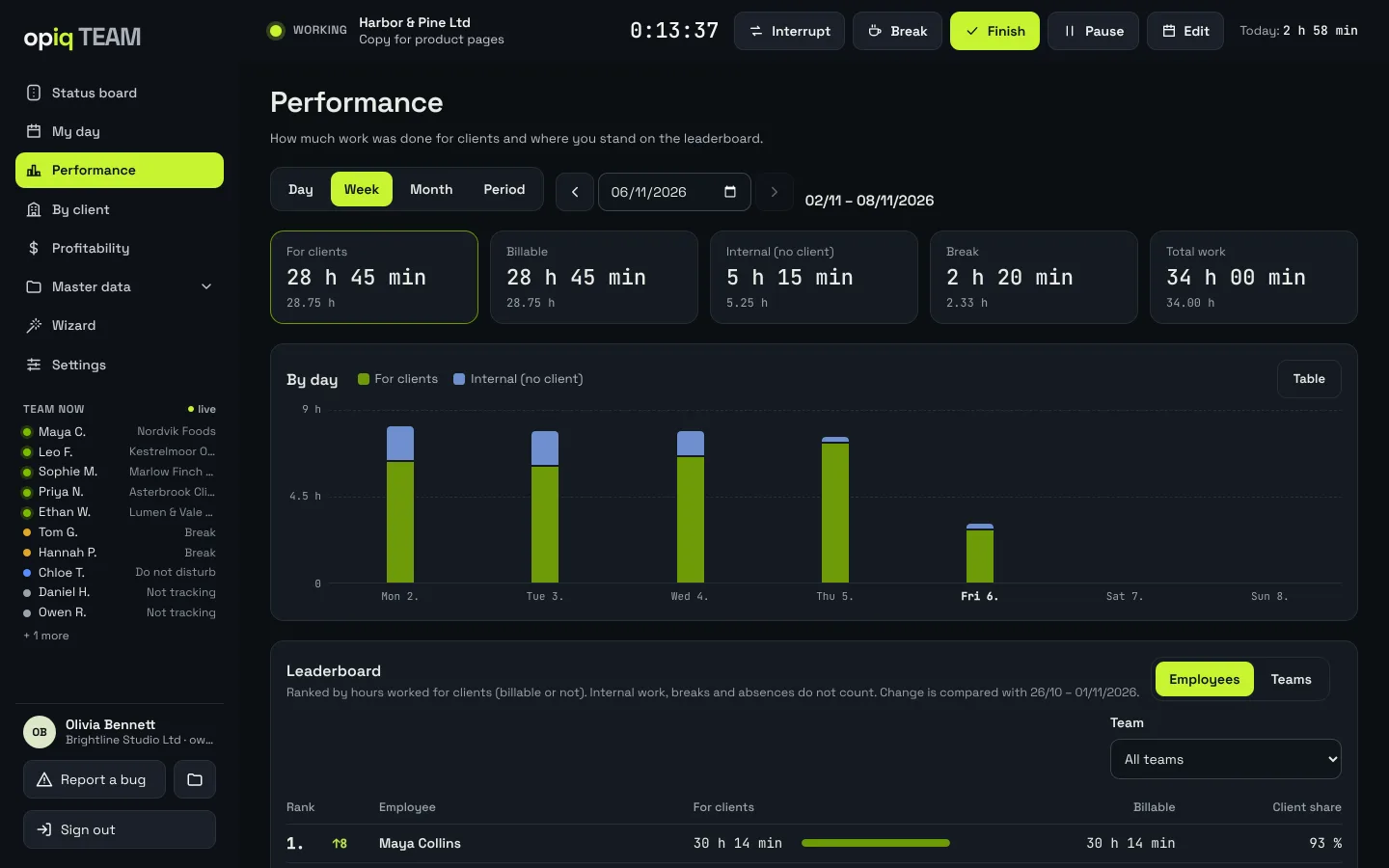
See how much time really goes to clients.
For each day, week or month: hours for clients, billable hours, internal work and breaks. Spot the weeks when internal work quietly eats your billable time.
- day, week, month or a custom period
- leaderboard of client hours by employee or team
Nothing to install — it runs in the browser.
In the field or at the office: the timer, "My day" and the team board are built for phones. Employees join through an email invitation.


Screenshots show fictional demo data. The app interface is available in English and Slovenian.
More client work — without spying on anyone.
opiq TEAM does not record screens, keystrokes or location. People log which client they're working for themselves. Managers see where time goes; employees no longer have to prove how much they did.
See who creates value.
- client hours vs. internal work — by person, team and period
- live board: who is working, for which client and for how long
- profitability by employee — only for people with finance access
Your work is visible and recognized.
- one click to start, one to stop — no spreadsheets at month end
- no screenshots, no keystroke logging, no location tracking
- employees don't see salaries or company finances
From sign-up to first entry in about five minutes.
- 01
Register your company
Company name, your name and email. Confirm your address and the 14-day trial starts — no credit card.
- 02
The wizard guides you
Step by step: employees, teams, clients, items and invoices (Excel import). Skip any step you don't need.
- 03
Your team starts logging
Each employee gets an email invitation and sets their own password. The team board comes alive with the first click.
From teams already using opiq TEAM in Slovenia.
Quotes translated from Slovenian.
— Nejc, accountant
— Aleš, IT support
— Mojca, marketing
Simple: you pay by team size.
Every feature is included in every plan. Pay annually and save, or monthly with no commitment. Pricing details
Prices in EUR. Every feature in every plan. 14-day free trial, no credit card. Cancel anytime.
Frequently asked questions
Is this employee monitoring software?
No. opiq TEAM does not record screens, keystrokes or location. Employees log which client they're working for themselves. Let your team know before you introduce it — as with any work logging.
What happens after the 14-day trial?
The app reminds you a few days before. If you don't subscribe, access closes — your data stays stored and is available as soon as you subscribe. No credit card is required, so nothing is charged automatically.
Who can see our data?
Only your company. We never share your data and don't use it for our own purposes. We access it only at your explicit request when you need help with a problem. Data is stored on servers in the European Union.
Can employees see salaries and finances?
No. Revenue, costs and profitability are visible only to the owner, admins or people you explicitly grant access.
Can I cancel anytime?
Yes, with one click in settings. The subscription stays active until the end of the paid period and is not renewed.
What if our team grows beyond the plan?
When a plan is full, the app suggests the next one. The switch takes effect immediately.
Can I export our data to Excel?
Yes. The By client and Profitability reports export to Excel, and each employee can export their own day. In the setup wizard you can import employees, clients, items, price lists and invoices from Excel.
Is a data processing agreement (DPA) included?
Yes. Every company accepts a data processing agreement when it registers, so there is nothing extra to request. Data is stored on servers in the European Union.
Does opiq TEAM integrate with other tools?
Not yet. There are no integrations and no public API today. Data moves in and out through Excel import and export.
Do I need to install anything?
No. opiq TEAM runs in the browser on computers, tablets and phones. You can turn on two-step sign-in for extra security.
What languages does the app support?
The app interface is available in English and Slovenian.
Where can I get help?
In the app, click "Report a problem" in the menu — describe the issue and attach a screenshot if you like. You can also email us at info@opiq.si.
After the first week, you'll know where your team's time goes.
Start your 14-day free trialNo credit card · EU-hosted · No surveillance